

CoachAccountable Review (2026): Best for Client Progress & Accountability?
Some links are partner links — Coachtoolery may earn a referral fee, and it never sways our picks. Learn how
If you run structured coaching programs and care about what your clients do between sessions, this CoachAccountable review is for you. I've spent time inside the platform testing its accountability features, and what follows is an honest breakdown of where it excels, where it falls short, and whether it's the right coaching software for your practice.
Heads-up: a few of the links in this article are partner links. Begin a paid CoachAccountable plan after clicking one and Coachtoolery earns a small referral fee — what you pay stays exactly the same, and it has no bearing on our verdict.
Key Takeaways
CoachAccountable is best-in-class coaching accountability software for tracking actions, metrics, and client progress between coaching sessions. It is not an all-in-one marketing or funnel platform - the platform focuses on management rather than marketing tools. If you need landing pages and email campaigns, look elsewhere.
Every CoachAccountable plan unlocks the full feature set: actions, metrics, worksheets, automated reminders, a client portal, courses, and group coaching. Pricing scales by active clients, and there's a 30-day free trial. Confirm current pricing at coachaccountable.com.
CoachAccountable is ideal for transformation coaches, life coaches, executive coaches, health coaches, and anyone running an ADHD coaching business or corporate program with milestones and measurable outcomes. It's less ideal for purely conversational, insight-only coaching practices.
The learning curve is real. Expect to invest a few hours building coaching templates and workflows upfront. Once configured, the platform helps coaches streamline administrative tasks and track results across multiple clients with minimal friction.
Coaches save time on administrative tasks through automation - from reminders and invoicing to session scheduling - so you can spend more time coaching and less time chasing.
Start your free CoachAccountable trial →
What Is CoachAccountable?
CoachAccountable is a coaching platform built around client progress tracking, accountability, and workflow automation for professional coaches. It combines client management, scheduling, invoicing, progress metrics, worksheets, and session notes into a single coaching software tool designed for 1:1 and small-group coaching workflows.
Unlike generic CRMs or basic scheduling apps, CoachAccountable treats what happens between coaching sessions as the main event. Actions, metrics, check-ins, and worksheets are first-class features - not afterthoughts bolted onto a calendar. The platform consolidates scheduling, invoicing, and client management so coaches aren't stitching together five different tools.
The tool uses a per-active-client pricing model, which makes it attractive for any coaching business with fluctuating or seasonal client loads. Inactive clients don't count toward your tier, and their data stays intact.
CoachAccountable has been actively developed for over a decade, with incremental improvements (version 5.x and beyond) driven by real coaching use cases. The team is small, the founder is actively involved in customer support, and feature requests from coaches regularly shape the roadmap. It's not flashy, but it's deeply practical.

Who It's For (and Who Should Skip It)
This is the section where you figure out whether CoachAccountable fits your coaching model in about sixty seconds.
Ideal users:
Transformation and life coaches running structured multi-month programs
Executive and leadership coaches who need to demonstrate ROI to corporate sponsors
Health and wellness coaches tracking habits, metrics, and behavior change
ADHD and performance coaches where keeping track of commitments is the whole game
Business coaches and coaching teams who handle multiple clients and want shared templates and oversight
CoachAccountable suits any coaching practice that emphasizes structured programs, recurring coaching sessions, homework, goal tracking, and quantitative or habit-based metrics. It's especially strong for solo coaches and small teams who want to keep clients accountable without building a custom tech stack.
Who should skip it:
Coaches looking for a marketing engine with landing pages, funnels, or email campaigns to attract clients
Course-first creators who need a full LMS with community forums and online classes
Coaches who want a super-minimalist, conversation-only practice with little structure
If you're a relatively low tech user who mainly needs payment plans and a clean checkout page, a platform like Paperbell might be a better starting point. And if you want CRM plus marketing in one tool, Simply.Coach is worth evaluating.
Key CoachAccountable Features
Here's an overview of the main CoachAccountable features that matter most to accountability-driven coaches. All of these are available on every paid tier - no feature gating.
The breadth of features can feel overwhelming at first, but they're modular. Start with actions and session notes, then layer in metrics, worksheets, and courses as your coaching workflow matures.
Actions & Metrics Dashboards
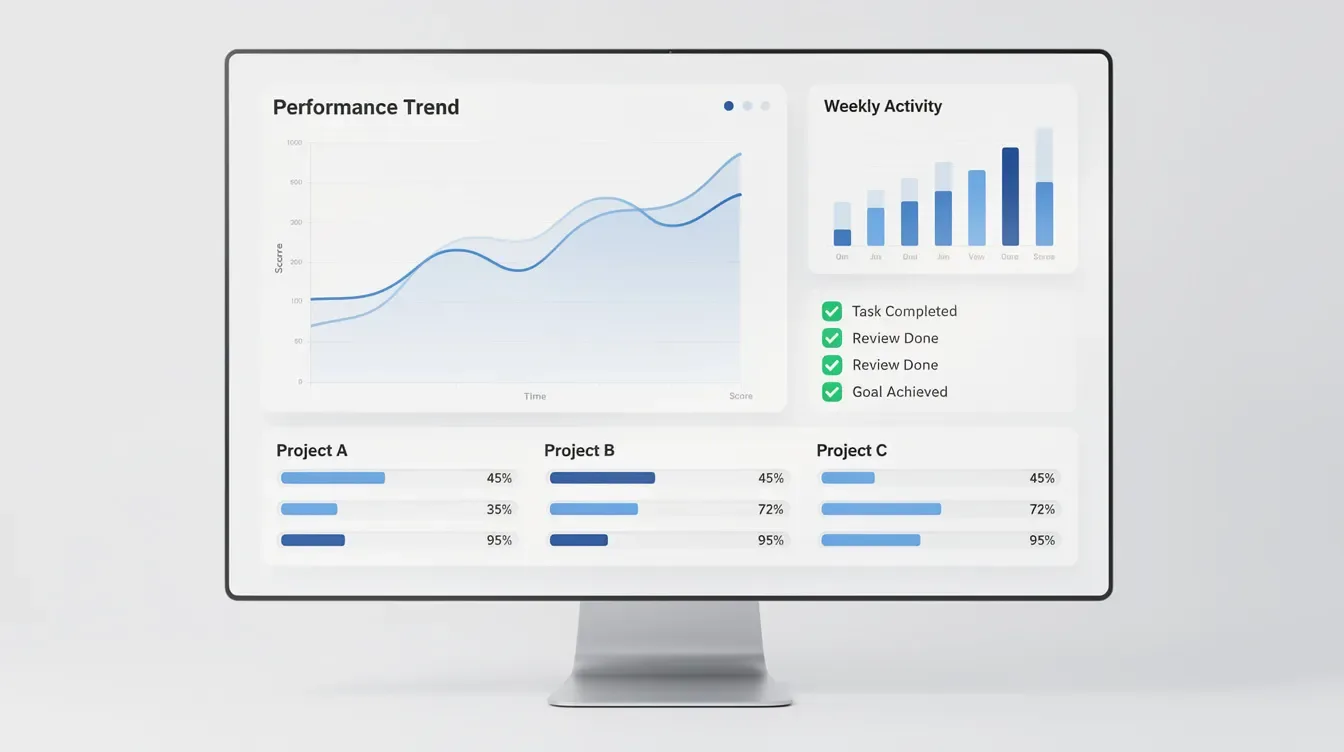
Actions are the backbone of the platform. Coaches create action items during or after each coaching session with due dates, reminders, and attached files or links - all visible in the client portal. Clients can mark actions complete, leave comments, and upload evidence. This shows up in the coach's dashboard, making between-session engagement visible at a glance. The platform allows for real-time updates on client actions, so you're never guessing who's doing the work.
Metrics are customizable data points - revenue, sales calls made, workouts completed, sleep hours, mood scores - that clients log on a schedule. CoachAccountable generates visual trend charts from these metrics, and coaches can track client progress through worksheets and metrics together. During each coaching session, you can pull up a client's trend line and see exactly where they stand.
The dashboards help quickly identify stalled clients, celebrate wins, and tie program ROI to concrete numbers. Coaches can track client progress and actions in real-time, which is a game changer for practices with multiple clients where keeping track manually would be impossible.
Worksheets & Assignments
Coaches can create digital worksheets, intake forms, and reflection exercises - or adapt existing coaching templates - and assign them to clients or groups with deadlines. High client engagement is achieved through interactive assignments that go beyond simple PDFs.
Completed worksheets live inside each individual client's record, making it easy to review pre-work before coaching sessions. Practical use cases include onboarding questionnaires, weekly reflections, habit check-ins, and post-session debriefs.
Where this gets powerful: combining worksheets with actions. For example, assigning tasks like "Complete values worksheet" paired with a follow-up metric deepens accountability. The client's assignments allowing coaches to see responses, track progress, and adjust the coaching process based on real data rather than memory.
Automated Reminders & Follow-Ups
CoachAccountable automates appointment scheduling and reminders, sending automated email and optional SMS nudges for upcoming coaching sessions, due actions, and scheduled metrics entry. Clients receive automated reminders via email or SMS without manual chasing from the coach. Automated reminders reduce no-shows and last-minute cancellations, which alone can pay for the platform.
Reminder timing is configurable: 24 hours before a session, same-day nudges, follow-up prompts after incomplete actions. The automation preserves the coaching relationship by making "nagging" impersonal and system-driven rather than personal.
One note: SMS usage can incur additional per-message costs, so heavy text-based accountability programs should factor this into their pricing.
Session Notes & Coaching Records
Client management features include session notes, file sharing, and messaging - all stored centrally rather than scattered across Google Docs, email threads, and notebooks. Coaches can capture private and shared session notes directly inside each appointment, attached to a timeline for every client.
Notes can be visible only to the coach, or selectively shared so coaching clients see key insights and commitments from the coaching session. You can tag key decisions, link notes to specific actions, or use templates for consistent session structures.
For experienced coaches running ongoing sessions with dozens of clients, having everything in one place improves professionalism and continuity significantly.
Client-Facing Portals & Progress Views
Each client receives a secure, password-protected portal where they can see actions, metrics, worksheets, documents, session history, and upcoming coaching sessions. Clients can track their progress through a secure portal, which makes the client experience feel structured and professional. The platform allows for customizable client portals to track progress.
Coaches can enable or disable tabs, adjust what clients see, and apply branding (logo and colors) to reflect their coaching business identity. While there's no full custom domain option - the portal runs on coachaccountable.com - the branding is enough for most coaching practices.
The portal becomes a "home base" for the client's journey. Clients love having a single place to check what's due, review past work, and see how far they've come. This is particularly valuable for programs running three to twelve months.

Groups, Courses & Full Feature Access on Every Plan
CoachAccountable supports cohort-based group programs effectively with group coaching functionality. Coaches create group spaces with shared actions, worksheets, discussion threads, and session logistics. Group coaching allows clients to connect and thrive together, and the platform enables sharing files and assigning actions in groups while providing a private space for group collaboration.
The courses feature lets coaches build drip-style or self-paced sequences of lessons, actions, and worksheets that run automatically for each enrollee. CoachAccountable supports structured courses for client learning, and you can create structured courses for group coaching within the platform. Users can create and manage coaching courses within the platform, though this isn't a replacement for a dedicated LMS if you're building large online courses.
The critical point: all subscription levels unlock the full feature set. This contrasts with other platforms that reserve advanced features for premium tiers, making CoachAccountable attractive for growth-minded practices. The platform serves both you and your coaching clients with nearly all the tools you need for delivery.
CoachAccountable Pricing
CoachAccountable uses a per-active-client pricing model: you pay according to the number of active clients in your account, not per feature or per coach seat. Pricing increases with the number of active clients, and archived or inactive coaching clients do not count toward the monthly total.
Here's the general structure:
Detail | What to Know |
|---|---|
Pricing model | Per active client, monthly billing |
Plans available | CoachAccountable has 17 different payment plans |
Entry point | The Starter plan starts at $20 per month for 2 active clients |
Scaling | A Level 8 plan costs $4 per client, per month |
Features | All features included on every plan |
Trial | 30-day free trial, full functionality |
Contracts | No long-term commitments, cancel anytime |
Team pricing | Unlimited coaches/team members at no extra per-seat cost |
CoachAccountable automates invoicing to save coaches time, with invoicing supported through Stripe, Square, and PayPal. Per-client cost decreases as your roster grows, making it cost-effective client progress tracking software at scale.
SMS costs and large media storage can add to expenses, but typical coaching documents fit within base storage. Verify current pricing and plan details directly on coachaccountable.com.
Start your free CoachAccountable trial →
Ease of Use, Learning Curve & Support
Let me be honest: CoachAccountable is a feature-rich coaching platform. Users report a steep learning curve due to the platform's features, and this is the most common friction point for new coaches. The interface can be described as slightly outdated or utilitarian - functional, not pretty.
The typical setup process involves building a few core templates: intake forms, session notes structures, basic actions, standard metrics, and simple packages. This upfront investment pays off as each next client gets onboarded faster. Many coaches report feeling comfortable within a few weeks, especially if they start small.
The platform has mobile functionality for coaches and clients, though it's a responsive web app rather than a native mobile app. For a low tech user, the browser-based approach means no app downloads, which can actually simplify things.
Where CoachAccountable genuinely shines is customer support. CoachAccountable's support team responds within 24 hours, and users report receiving responses within an hour or two. The founder is actively involved in customer support, and CoachAccountable offers personalized responses rather than templated ones. The support staff is described as wonderful and patient, and the support team is open to feedback - feature requests from other coaches regularly become product updates. For a software tool in this price range, the level of support is remarkable.
Integrations, Data Security & Compliance
Here's how CoachAccountable connects to your existing tools and handles sensitive coaching client data.
Calendar, Video & Payment Integrations
CoachAccountable allows for seamless appointment scheduling with calendar sync, supporting Google Calendar and Microsoft Outlook to prevent double-booking. It includes a two-way scheduler for appointment booking, so both you and your clients can schedule appointments without back-and-forth emails.
CoachAccountable supports invoicing through Stripe, Square, and PayPal, enabling coaches to take online payments, automate recurring billing, and manage payment plans within the platform.
It does not replace video tools. Coaches connect Zoom, Google Meet, or similar by attaching meeting links to appointments, which are then included in reminders and calendar events. This "use your preferred video tool" approach works well for coaches who already have an established video workflow.
Zapier, API & Automation
CoachAccountable offers api access for custom integrations, allowing larger practices or tech-savvy coaches to sync data with CRMs, learning platforms, or internal dashboards. Zapier support provides a no-code way to connect CoachAccountable to hundreds of apps - for example, automatically adding new coaching clients from a form submission or logging completed actions into an external reporting system.
If you already use another software provider for email marketing or CRM, these connections bridge the gap without forcing you to abandon existing clients' workflows.
Security, HIPAA & Data Protection
CoachAccountable transmits data over encrypted connections (TLS/SSL enforced) and stores data in a SOC2-certified data center. The platform is GDPR-compliant with a Data Processor Addendum available.
For HIPAA: the platform's server environment supports HIPAA-level security controls, but CoachAccountable has historically stated it is not fully HIPAA compliant and does not sign Business Associate Agreements. Coaches in regulated niches - health, mental health, corporate environments with strict privacy requirements - should confirm current HIPAA and security details directly with CoachAccountable before onboarding clients. This is the one area where an other software provider like Simply.Coach (which recently achieved HIPAA compliance) may have an edge.
Pros and Cons of CoachAccountable
Here's a concise, experience-based summary of where this amazing platform shines and where it may fall short.
Pros:
Best-in-class progress tracking and accountability tooling - actions, metrics, worksheets, and dashboards work together seamlessly
Full feature access on every plan, including group coaching and courses
Strong client-facing portals that keep clients engaged between sessions
Flexible client-count pricing with no per-coach fees
Generous 30-day free trial with no credit card required (verify current policy)
The platform includes tools for tracking client actions and performance metrics in ways that other platforms simply don't match
A robust solution for coaches who want to demonstrate measurable ROI
Cons:
No built-in marketing funnels, landing pages, or email campaigns - you won't use this to attract clients
UI feels dated compared with newer, design-first tools
Noticeable learning curve during initial setup
SMS reminder costs can add up for heavy texters
Not a full course or community platform for large-scale info products or online classes
No custom domain for client portals
Won't replace your need for a dedicated website or email marketing tool
Fit depends on your coaching model. What feels like a "con" to a low-structure, conversation-only coach is a major "pro" to a data-driven, program-based coach.

CoachAccountable vs Alternatives
Many coaching platforms overlap in features but emphasize different parts of the coaching business: admin simplicity, marketing, ICF logging, or accountability. Here's how CoachAccountable stacks up against a few notable alternatives.
CoachAccountable vs Paperbell
Paperbell focuses on simplifying the business side of a coaching practice - website, online payments, contracts, scheduling, and basic client management - in a very clean, modern interface. It's a more user friendly entry point for new coaches who mainly want a beautiful sales and checkout experience.
CoachAccountable goes deeper on progress tracking, actions, metrics, and between-session accountability, but does not include hosted landing pages or a built-in marketing website. According to SoftwareAdvice comparisons, CoachAccountable ranks highest in progress tracking and client management among compared products.
Coaches who want to earn more money from existing clients through deeper engagement lean toward CoachAccountable. Those who need to attract clients with a polished storefront lean toward Paperbell. For a full side-by-side, see our Paperbell vs CoachAccountable comparison.
CoachAccountable vs Simply.Coach
Simply.Coach is a more "all-in-one" coaching platform combining CRM-like features, some marketing tools, and detailed engagement tracking. It's often aimed at teams and enterprises and recently achieved HIPAA, SOC2, and GDPR compliance.
CoachAccountable is narrower in scope - less focused on marketing and more on program delivery, accountability, and flexible actions/metrics workflows. If you want everything (marketing, sales pipelines, and delivery) in a single tool, Simply.Coach might be worth evaluating. If you're happy using separate marketing tools but want a best-in-class client management solution for accountability, coach accountable is the stronger pick. G2 comparisons reflect this split.
CoachAccountable vs CoachVantage
CoachVantage emphasizes coaching admin plus ICF coaching log support for accreditation-focused coaches. It's a solid comprehensive features set for coaches pursuing or maintaining ICF credentials.
CoachAccountable focuses more on between-session engagement: tracking client actions, metrics, and worksheets in greater depth. Coaches obsessed with accountability and measurable outcomes across their entire coaching business will prefer CoachAccountable's dashboards. Coaches who need ICF hour logging built in may appreciate what CoachVantage offers.
Is CoachAccountable Worth It for Accountability-Driven Coaches?
For coaches who want to keep clients accountable between sessions - tracking actions, metrics, and real behavior change - CoachAccountable is very likely worth the learning curve and client-count-based investment. It's the deepest software tool I've found for this specific job.
The main reasons: all-in-one delivery and accountability hub, feature completeness at every tier, strong client portals, and the ability to demonstrate ROI to both individuals and corporate sponsors. It handles the coaching process from onboarding to completion better than other platforms in this category.
Who may not find it worth it: coaches who want a marketing-first platform, those allergic to structured programs, or practices that only need minimal scheduling and invoicing. If you're only looking to schedule appointments and collect payments, you're paying for capabilities you won't use.
My recommendation: validate fit by running the 30-day trial with one or two real clients. Set up a simple coaching workflow - intake form, session notes, a few actions, one metric, a recap worksheet - and see how it feels. You'll know within two weeks.
Start your free CoachAccountable trial →
FAQ
What does CoachAccountable do better than other coaching platforms?
Its standout strength is structured client progress and accountability. The combination of actions, metrics, worksheets, and client dashboards keeps coaching clients engaged between sessions and makes progress visible in ways that group members, corporate sponsors, and the clients themselves can actually see. Many competing tools handle scheduling and payments well, but fewer go as deep on between-session engagement for 1:1 and small-group coaching.
Does CoachAccountable have a free trial and do I need a credit card?
CoachAccountable offers a 30-day free trial with access to the full feature set, allowing coaches to experiment with real coaching clients and workflows. As of the last published pricing page, no credit card is required at signup. Confirm on coachaccountable.com whether this policy is current, as terms can change.
Can I use CoachAccountable for group coaching and courses?
Yes. CoachAccountable supports group coaching through group containers with shared portals, group actions, and resources. The platform serves coaches who want to run cohort-based programs where group members share assignments and track collective progress. Built-in courses drip lessons, worksheets, and actions on a schedule. That said, it isn't a replacement for community-first platforms if your primary goal is large-scale social interaction or coaching services delivered primarily through public communities and unlimited clients in open forums.
Does CoachAccountable replace my email marketing or website?
No. CoachAccountable is not a marketing or funnel system. It does not replace a full website builder, email marketing platform, or advanced sales funnels. Coaches should pair it with dedicated marketing tools for list-building and content, then use CoachAccountable as the core client management and accountability platform once someone becomes a coaching client. Think of it as the delivery side of your coaching business, not the acquisition side.
Is CoachAccountable suitable for regulated or health-related coaching niches?
Many health, wellness, and behavior-change coaches use CoachAccountable successfully. However, the platform has historically not positioned itself as fully HIPAA compliant and has not offered Business Associate Agreements. If you're handling protected health information or working under strict corporate compliance requirements, confirm current security, HIPAA status, and contractual details directly with CoachAccountable before onboarding coaching clients. For some regulated niches, this may be a deal-breaker that gets solved immediately by asking the team, or it may require evaluating an alternative.