

Paperbell Review (2026): The Best Coaching CRM for Solo Coaches?
Some links are partner links — Coachtoolery may earn a referral fee, and it never sways our picks. Learn how
Key Takeaways
Paperbell is a coaching-native, all in one platform that replaces separate scheduling tools, payment processing, contracts, and a basic client portal for solo coaches.
It is ideal for solo life, business, or wellness coaches selling 1:1 or simple group coaching packages. Teams, course-heavy businesses, and advanced funnel marketers should look elsewhere.
There is one paid plan with all features and unlimited clients, plus a free plan limited to one client. Confirm current pricing on Paperbell's official site.
Paperbell has a 4.7 rating on G2 and users report setup in under an hour.
For the typical solo coach juggling multiple tools and administrative tasks, Paperbell is worth it as a clean, affordable way to consolidate operations without learning complex software.
This Paperbell review is based on using the Paperbell coaching software to run a solo coaching business. If you are a coach looking for a single platform to replace your Calendly, Stripe checkout links, and e-signature stack, this review covers what Paperbell actually does well, where it falls short, and whether it is the right fit for your practice. Paperbell for coaches is a focused tool for client management, not a full marketing suite, and this review reflects that honestly.
What Is Paperbell?
Paperbell is a dedicated all-in-one administrative software designed specifically for coaches. It consolidates scheduling, invoicing, contract signing, and client management into a single platform, built around coaching workflows rather than generic freelancing or consulting.
Founded by Laura Roeder, Paperbell combines scheduling, electronic contracts, and payment processing so coaches can sell coaching online without stitching together a half-dozen apps. It handles coaching packages, subscription billing, intake forms, and a lightweight client portal, all from a browser-based app. There is no native mobile app, but the platform is intuitive and user-friendly for coaches who are not technical. Users can set up a professional coaching website without coding.

Think of Paperbell as a way to manage your coaching business operations in one place. It can replace multiple tools like Calendly, Stripe checkout, and HelloSign, though you will still need separate email marketing and course platforms if your business relies on those.
Who Paperbell Is For (and Who Should Skip It)
Paperbell is opinionated software. It does a specific job extremely well and does not try to do everything. Here is who will likely love Paperbell:
Who Paperbell Is For:
Solo life, business, or wellness coaches running 1:1 or simple group programs.
Coaches selling standardized packages (e.g., 6-session package, 3-month program) who want scheduling, payments, and contracts handled automatically.
Coaches who are tired of juggling separate tools and spreadsheets for client management and prefer an all in one system.
Beginners who want to launch fast with a simple website and client portal without hiring a developer.
Who Should Skip Paperbell:
Multi-coach teams or agencies that need multi-user permissions, advanced reporting, or complex internal workflows.
Course creators who rely on structured online courses with modules, lessons, progress tracking, and community forums.
Coaches who run advanced funnels and need deep CRM features, tagging, email marketing automation, and in-depth analytics.
Health professionals who require HIPAA-compliant storage of protected health information, as Paperbell is not HIPAA-compliant for healthcare providers.
Paperbell is best viewed as a streamlined coaching admin hub, not a full marketing or course delivery system. It is best for solo coaches, not for complex funnels.
Key Features of Paperbell
This section walks through the main Paperbell features as they show up in a real coaching workflow, from first booking to ongoing client management. Each area below covers what the feature actually does, with concrete examples rather than just listing settings.
Scheduling and Calendar Sync
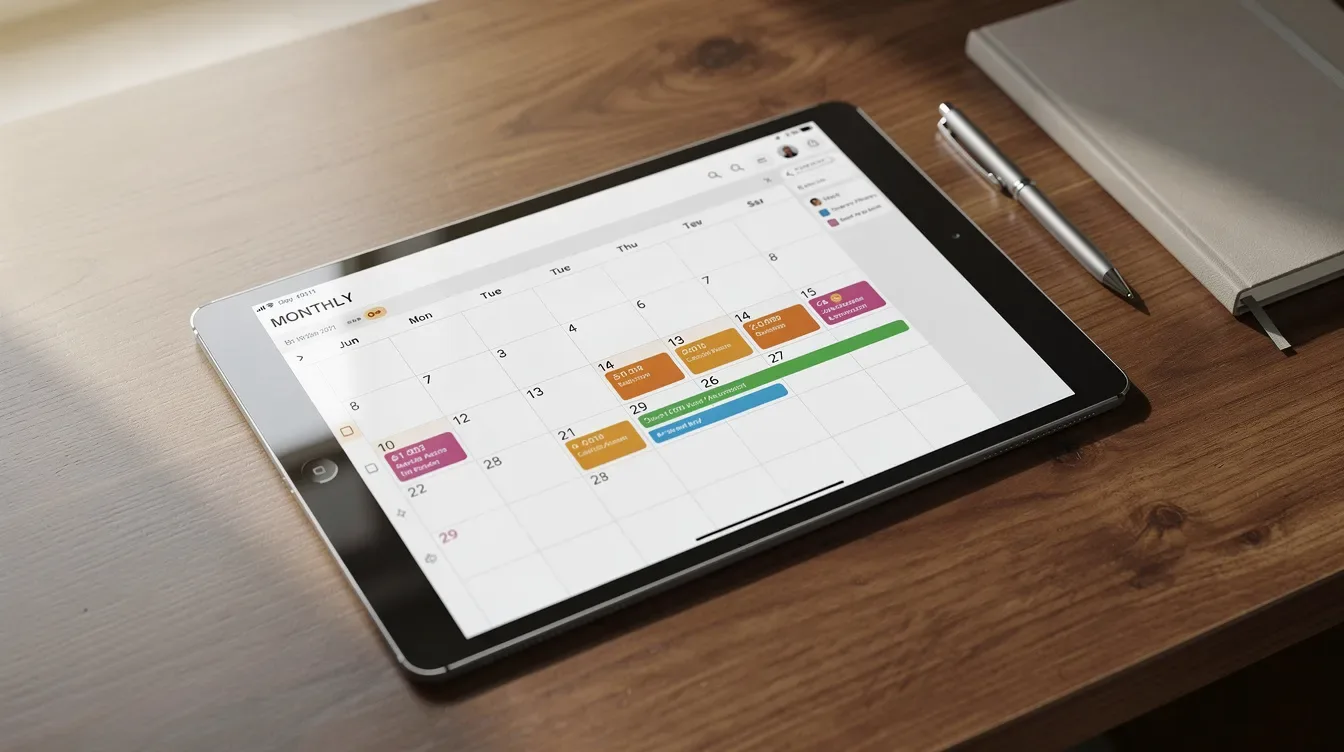
Paperbell has a built-in appointment scheduling tool for coaches. You create shareable booking links tied to specific packages, sync your Google or Outlook calendar, and let clients pick from your available slots. Paperbell integrates automatic time-zone detection and calendar integrations, so international clients always see times in their local zone.
The controls most coaches care about are here: buffer times between sessions, limits on how far ahead clients can book, and rules for rescheduling or cancelling. Setting up a free 30-minute discovery call alongside a paid 60-minute coaching session took about ten minutes. Both appear on the coach's synced calendar and in the client's portal.
Paperbell supports automated email reminders for clients before appointments, but it does not include full email marketing or SMS campaigns. Think of it as handling appointment notifications and basic follow ups, not newsletter blasts. There is no round-robin scheduling across a team either, reinforcing that this is a solo-coach solution.
Payments, Packages and Subscriptions
Paperbell allows creating packages with various pricing options:
One-off packages with a set number of sessions.
Recurring subscriptions for ongoing coaching.
Payment plans and pay-what-you-can pricing for more flexible offers.
From a client's perspective, the checkout experience is straightforward. They land on your Paperbell site, choose a package, pay via Stripe or PayPal, and automatically gain client access to scheduling and the portal. Paperbell integrates with Stripe and PayPal for payments directly into your own accounts.
The dashboard tracks remaining sessions, payment status, and renewals so you can manage multiple clients without spreadsheets. Paperbell handles one-time payments and recurring subscriptions with zero transaction fees beyond what Stripe or PayPal charge. There are zero transaction fees from Paperbell itself, which matters when you sell higher-ticket coaching packages.
One limitation: there is no built-in invoicing system like accounting software. Receipts come from Stripe or PayPal, and offline payments need to be manually recorded.
Contracts, Intake Forms and Onboarding
Paperbell allows users to attach digital contracts and customizable client surveys to any package. Clients sign via e-signature (powered by Dropbox Sign), fill out intake questionnaires, and only then get access to booking. The onboarding flow is:
Purchase
Sign contract
Complete intake form
Schedule first session
All within Paperbell.
Paperbell automates client onboarding and scheduling processes. For example, onboarding one client into a 3-month business coaching program happens without a single back-and-forth email or PDF attachment. The intake forms collect goals, background info, and logistics so you arrive prepared for the first session.
Paperbell's customization options are limited compared to competitors when it comes to contract templates and form design. But the trade-off is speed: most coaches have their first package live in under an hour.
Client Portal and Session Materials
Paperbell creates a passwordless portal for clients to book sessions and access files. From a client's perspective, it is a simple page showing upcoming sessions, past sessions, payments, contracts, and any uploaded materials.
Coaches can upload files like PDFs, worksheets, and links to packages for light content delivery. However, Paperbell lacks a course builder for structured learning. There are no modules, quizzes, drip content sequences, or progress tracking like you would find in a learning management system. It is not a replacement for dedicated course platforms.
Clients can reschedule their own appointments within the rules the coach sets, which cuts down on admin email. One notable gap: Paperbell does not support in app messaging between coaches and clients. Asynchronous communication still happens over email or external messaging apps.
Dashboards and Basic Reporting
The main dashboard shows upcoming sessions, a client list with remaining sessions, and a simple revenue summary by package. This helps with everyday client management: you can see at a glance who is due for renewal or who has unused sessions.
Reporting is intentionally lightweight. There are no complex pipeline analytics, no funnel metrics, and limited export options compared with full CRMs. For most coaches, this simplicity is a plus. Checking the dashboard on a Monday morning gives you everything you need: this week's appointments, remaining sessions per client, and which packages are selling.
Paperbell Pricing
Paperbell offers one plan philosophy: a single paid plan with all features unlocked and unlimited clients, plus a free plan that lets you test with one client. The paid plan costs $57 per month or $47.50 monthly if billed annually. Paperbell has no upsells or hidden fees.
The free plan is genuinely useful. You can create packages, set up scheduling, attach contracts and intake forms, build your site, and fully onboard one client to experience the complete workflow. Upgrading to the paid plan keeps all existing data intact and simply removes the client limit. Users can manage unlimited clients on the paid plan.
Coaches have collectively earned over $24 million using Paperbell, which suggests many coaches are running real revenue through the platform. Paperbell offers email support but no live chat option, and users report prompt responses from Paperbell's support team. Paperbell support also has a 4.7 rating on G2 for customer support. There are no forums or Facebook groups for Paperbell users at this time, though Paperbell's community features are currently limited as it grows.
Confirm current pricing details and any promotions on the official Paperbell pricing page before making a decision.
Pros and Cons
Paperbell has a clear strengths-and-limitations profile. Here is the candid breakdown.
Pros
Coaching-native all in one design that replaces several tools for scheduling, payments, contracts, and client portals.
Fast setup for a solo coach. Users report setup in under an hour to get a basic package and site live, and the platform has a 4.7 rating on G2.
Clean, simple client experience that reduces friction for booking and paying. Happy users frequently note how user friendly the tool is for new clients.
Unlimited clients and packages on the paid plan, avoiding per-client pricing stress.
Generous free plan that lets you test every feature with a single real client.
Cons
Not built for teams or multi-coach practices; no advanced permissions or routing.
Limited course and community tools; no true course builder, drip content, or forums.
Light on marketing features: no full email marketing, funnels, or deep CRM automation.
No in app messaging; ongoing coach-client communication still depends on email or external apps.
Not advertised as HIPAA-compliant, which is a serious limitation for health and therapy practices.
Paperbell trades advanced features for a streamlined experience. Whether that is a pro or a con depends entirely on your business model.
Paperbell vs Alternatives
Coaches usually compare Paperbell with a few other tools rather than evaluating it in isolation. Here are the key comparisons.
Versus CoachAccountable: Paperbell is simpler and more "admin-first," better for solo coaches who want light program structure but not full curriculum tools. CoachAccountable offers richer accountability features, assignments, and structured program delivery. See our CoachAccountable review and Paperbell vs CoachAccountable comparison for more detail.
Versus Simply.Coach: Paperbell is leaner and less corporate, good for individuals rather than teams that need audits, coaching program scorecards, or heavy compliance features. Read our Simply.Coach review.
Versus Kajabi: Paperbell is for 1:1 and package-based coaching admin, while Kajabi is a course-first coaching platform that handles online courses, memberships, and marketing funnels with a full website builder. If content delivery is your primary revenue driver, explore our Kajabi for coaches guide.
If your revenue comes primarily from coaching sessions, start with Paperbell. If it comes from courses or memberships, a course platform plus a separate scheduler is likely the best fit. For a broader overview, see our best CRM for coaches guide.
Start your free Paperbell trial →
Is Paperbell Worth It for Solo Coaches?
For the solo coach who wants to streamline bookings, payments, and contracts without learning complex software, Paperbell is a strong choice. Day-to-day, it means less admin time, fewer tools to manage, fewer client mistakes with booking and payments, and a more professional onboarding flow. Paperbell simplifies client onboarding and scheduling in a way that most coaches notice immediately.
The caveats remain: it is not for multi-coach teams, it is not a robust course builder, and it will not replace a dedicated email marketing system. Paperbell is recognized for streamlining the basic administrative workflow for solo coaches, and that is exactly what it delivers.
If 80% of your business is 1:1 or small-group coaching and you are currently juggling Calendly, Stripe links, and emailed PDFs, Paperbell is likely worth it.
If you already run complex evergreen funnels and multiple online courses, Paperbell will still leave gaps you need to fill with other platforms.
If you have been using Paperbell for over a year, you will know whether new features and the platform's roadmap keep pace with your growth.

FAQ
Is Paperbell good for solo coaches?
Yes. Solo coaches are Paperbell's sweet spot. If you sell 1:1 or small group coaching packages and want an all in one admin hub covering scheduling, payments, contracts, intake forms, and a basic client portal, Paperbell handles it cleanly. The platform is a user friendly tool that keeps daily operations simple. Once a coach grows into a multi-coach team or a complex course business, they may need to graduate to more specialized tools, but for the solo stage it covers the essentials well.
Does Paperbell have a free plan?
Paperbell offers a free plan where all features are available but limited to one client. This is enough to fully test the real workflow: create packages, set up scheduling, send contracts and intake forms, and run a complete engagement before deciding to upgrade. Check the official Paperbell site for any updates to the free plan limits, as terms can change over time.
Can Paperbell handle group coaching or online courses?
Paperbell can support group coaching programs by allowing packages with multiple participants, shared session dates, contracts, and intake forms. This works well for live group programs where the coach schedules sessions and all enrolled clients get invited. However, Paperbell does not include a full course builder with lessons, drip content, or progress tracking. Serious course creators or coaches running large cohorts often pair Paperbell with a dedicated course platform for content delivery.
Is Paperbell HIPAA-compliant?
Paperbell is not marketed as HIPAA-compliant and should not be used for storing or transmitting protected health information under HIPAA rules. Wellness and life coaches who do not handle regulated medical data can use it without concern, but therapists and medical professionals should look for explicitly HIPAA-compliant software. Always confirm your local regulatory requirements before committing to any coaching platform that lacks formal compliance certification.
Paperbell vs CoachAccountable: which should a solo coach pick?
The core trade-off is simplicity versus depth. Paperbell is simpler and more focused on admin: scheduling, payments, contracts, and a clean client portal. CoachAccountable offers richer program structure, assignments, milestones, and detailed progress tracking. A solo coach who mainly sells straightforward coaching packages and values quick setup will likely prefer Paperbell. A coach who runs structured programs with homework and accountability milestones may find CoachAccountable a better long-term fit. See our detailed comparison for a side-by-side breakdown.
Closing Thoughts & Next Steps
Paperbell is a strong, low-friction choice for solo coaches who want their basic operations in one place. It will not solve every problem, but it solves the right ones for the right profile of coach.
Test the free plan with one real client to see how it feels in your specific coaching workflow before migrating everything.
Start your free Paperbell trial →
If you are still comparing options, explore our reviews of CoachAccountable, Simply.Coach, and Kajabi, or start from our best CRM for coaches overview.