
HubSpot for Coaches: Is It the Right CRM for Your Coaching Business?
Some links are partner links — Coachtoolery may earn a referral fee, and it never sways our picks. Learn how
Introduction
If you're a coach or run a coaching business, choosing the right CRM can make or break your operations. This guide explains how HubSpot fits (or doesn't fit) the needs of solo coaches, coaching teams, and enterprise coaching providers. We'll cover features, pros and cons, pricing, and how HubSpot compares to coaching-specific tools—so you can decide if it's the right platform for your business.
Key Takeaways
This guide explores how coaches and coaching businesses can leverage HubSpot as their CRM platform.
HubSpot CRM is excellent for team and enterprise coaching operations that have a real sales pipeline, a sales team, and defined sales processes. It brings marketing and sales under one roof.
The free CRM is a strong starting point for organizing contacts and tracking deals, but most meaningful automation, advanced reporting, and scaling features live in paid Sales Hub and Marketing Hub tiers.
Solo coaches selling a few coaching packages per month will usually be better served by a coaching-native tool - HubSpot is more CRM than most solos truly need.
HubSpot shines when coaching is part of a larger consulting or B2B services business that needs tight alignment between marketing and sales teams.
There are no built-in coaching-specific features like session logs or package tracking. Everything coaching-related requires custom configuration.
Quick note: certain links below are partner links. Start a paid HubSpot plan after clicking one and Coachtoolery gets a small referral fee — your price is identical either way, and it never shapes our take.
What Is HubSpot? (And How It Fits a Coaching Business)
HubSpot is an all-in-one CRM platform built for B2B companies. It is not built specifically for coaching. The core product - HubSpot CRM - is surrounded by modular paid hubs: Sales Hub, Marketing Hub, Service Hub, and Operations Hub. Each hub adds specialized capabilities on top of the shared CRM database.
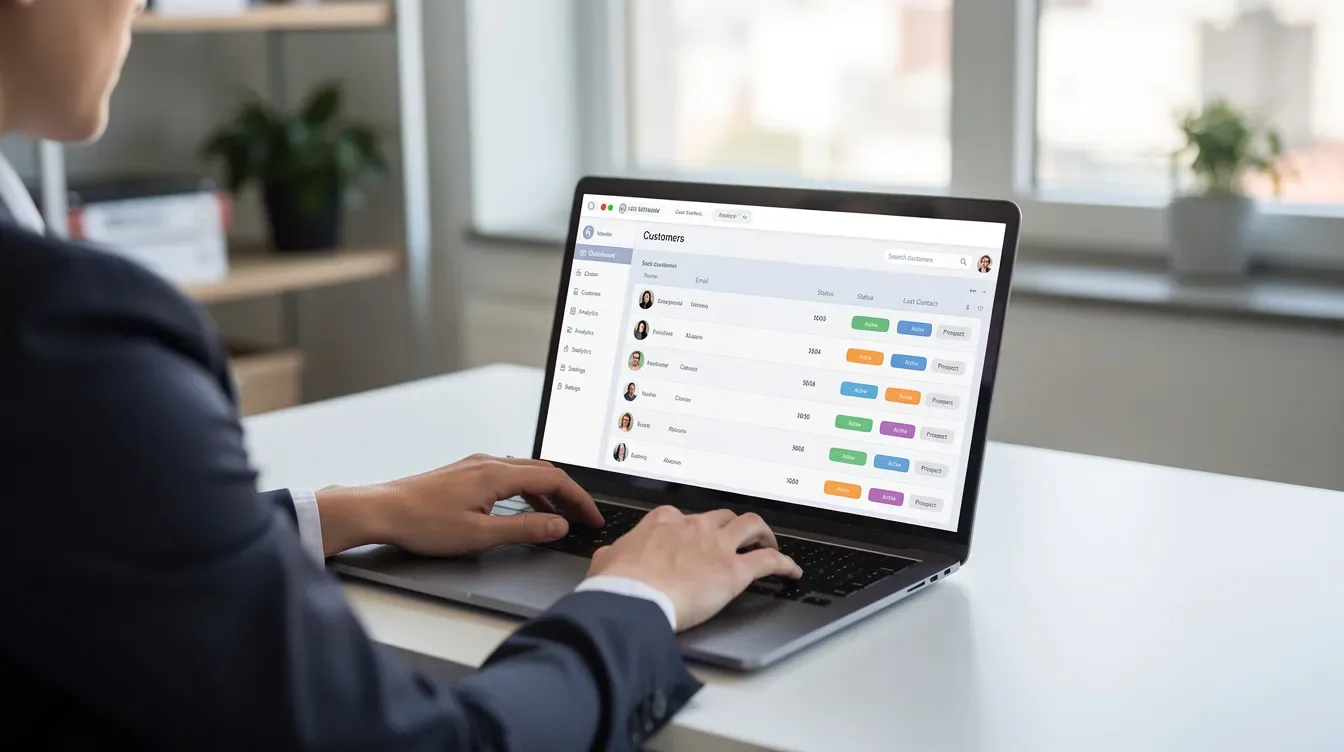
The CRM core works with contacts, companies, deals, tickets, and activities. For a coaching business, that translates to coaching leads (contacts), corporate clients or HR sponsors (companies), and coaching contracts or engagements (deals). The smart CRM centralizes client data and communication history, so every interaction lives in one place. Communication tools include live chat and email tracking right out of the box.
Sales Hub supports building repeatable sales processes and pipelines for selling coaching packages, retainers, and group programs. Marketing Hub manages landing pages, emails, forms, and automation that can promote coaching sessions, webinars, and thought-leadership content. HubSpot tracks every client interaction automatically, giving your entire team shared visibility.
HubSpot Academy is a free learning resource where coaches and sales teams can learn CRM, marketing, and sales skills needed to get value from the platform. Most day-to-day work happens inside the HubSpot portal via the web app, with optional mobile apps for on-the-go contact and task management.
Who HubSpot Is For (and Who Should Probably Skip It)
HubSpot is ideal for coaching teams embedded in larger businesses. For a brand-new solo coach, it is usually overkill.
Ideal users: Team coaching companies, enterprise coaching vendors, and consulting firms that sell coaching services as part of broader solutions. If you have multiple coaches, a sales team qualifying leads, and defined sales and marketing processes that need shared visibility across the whole team, HubSpot fits naturally. CoachHub, a talent development platform with 3,500+ certified coaches, uses Marketing Hub, Sales Hub, Service Hub, and Operations Hub across more than 500 internal users. That is the scale where HubSpot delivers its best value.
Borderline users: Growing solo or small coaching firms planning to hire a sales assistant or team. If you foresee needing advanced reporting, integrated marketing campaigns, and pipeline tracking soon, HubSpot can start free and grow with you. But you need to be willing to invest time in setup.
Not a fit: Most new solo coaches seeking a simple way to sell coaching packages, schedule coaching sessions, and accept payment. Coaches can automate administrative tasks using CRM software, but HubSpot does not offer built-in coaching-specific features such as coaching session note templates, ICF logging, or package tracking without customization. If your specific needs are scheduling and invoicing a handful of clients, a coaching-native tool will serve you faster.
HubSpot's Free CRM for Coaches: What You Really Get
HubSpot's free CRM is one of the best free CRM options available for any business. But free still means limited for advanced coaching operations.
Here is what you get at no cost:
Contact and company records
A basic deal pipeline to track coaching leads through stages
Task management and activity logging
Email logging and tracking (see who opens your messages)
Simple forms and basic landing pages (with HubSpot branding)
Live chat and a basic chatbot
A personal meeting scheduler link
A small coaching business can use the free tier to manage inbound leads, track discovery calls, and monitor early-stage sales processes without any upfront cost. Lead capture tools help convert website visitors into known contacts, and HubSpot allows creation of over 40 custom form fields to capture details specific to your coaching practice.
The limits are real, though. Free-tier assets carry HubSpot branding. Automation is essentially absent - no multi-step workflows, no sequences. Reporting is basic and templated. TechRadar reports that new free accounts are now capped at 1,000 contacts and 2 users in many markets, so verify current caps on hubspot.com before you plan around the free tier.
Advanced automation, robust sales sequences, and deep reporting dashboards require at least Starter or Professional plans. The free CRM is great for learning CRM basics and organizing contacts, but scaling a coaching team or running complex corporate coaching programs will need paid tiers.
Key Features of HubSpot for Coaching Businesses
Below is a breakdown of HubSpot features that matter to coaching organizations, focused on practical use-cases: lead intake, corporate deals, coaching packages, session follow-up, and reporting on revenue and retention.
Contact, Company, and Deal Management
Coaches and sales teams can store prospects, coachees, HR sponsors, and decision-makers as contacts and companies. Sales pipeline management allows tracking of prospective clients from first touch to signed contract.
Deals represent coaching contracts, team coaching engagements, or multi-month coaching packages, each moving through a defined pipeline. HubSpot maintains a detailed communication history for each client, so any team member can pick up context instantly.
Coaches can create custom fields for client goals in HubSpot - program type, number of coaching sessions, start date, renewal date, coach assigned.
Timeline tracking logs all emails, calls, and meetings, so every coach and sales rep sees the full relationship history before a session or call.
Example: A corporate coaching deal moves through the Sales Hub pipeline as Inquiry → Discovery Call → Proposal → Negotiation → Signed → Onboarding → Delivery → Renewal. Each stage captures the data your sales team needs to forecast revenue growth.
Pipeline & Sales Process Management
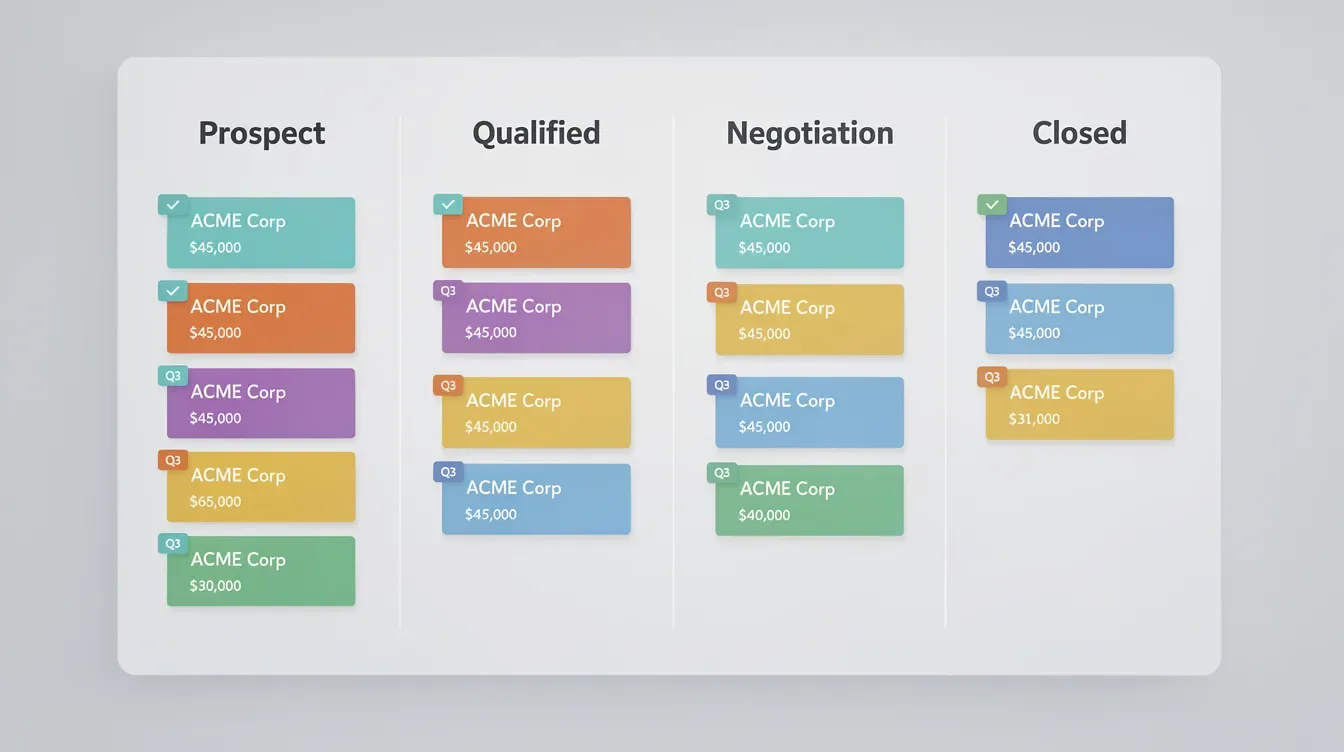
Design repeatable sales processes with pipeline stages for discovery, proposal, negotiation, and closed-won or closed-lost coaching engagements.
Build different pipelines for B2B corporate coaching, open group programs, and high-ticket 1:1 coaching packages. HubSpot tracks every stage of the sales funnel for insights into where deals stall.
Board views and list views allow sales leaders to spot stalled deals and reassign follow-up tasks to different members of the sales team.
Aligning pipeline steps with real-world coaching sales activities makes forecasting realistic for revenue and capacity planning.
Automated workflows help streamline sales processes and improve efficiency - for example, triggering an agreement or onboarding email when a deal hits a certain stage.
Marketing and Sales Automation (Primarily Paid)
Basic automation is limited on the free tier. Most meaningful automation requires paid Marketing Hub or Sales Hub at Starter or Professional level.
Automated workflows can trigger personalized email sequences for leads after someone requests a coaching consultation or downloads a lead magnet. Automated lead nurturing workflows trigger personalized email sequences that keep prospects warm.
HubSpot allows automated lead routing to ensure proper follow-up, assigning new coaching leads to specific sales reps or regional teams based on criteria like location or company size.
HubSpot automates client onboarding with personalized welcome sequences once a coaching deal closes. Automated email reminders can be sent prior to scheduled sessions. Automated tasks include email follow-ups and client notifications - all without manual effort.
Automated workflows nurture leads based on specific needs, and HubSpot enables seamless lead transfer from marketing to sales when a prospect is ready.
HubSpot's automation features enhance data quality in CRM systems, keeping records clean as your contact database grows. These automations save time for both coaches and sales teams, letting them focus on delivering results in live coaching sessions rather than admin.
Landing Pages, Forms, and Lead Capture
Marketing Hub's landing pages allow coaches to publish registration pages for webinars, group coaching cohorts, or corporate training days without coding.
Use HubSpot forms to qualify coaching leads by capturing marketing budget, goals, team size, and desired start dates. Behavior-based segmentation groups contacts for targeted outreach based on how they interact with your content.
Pop-up forms and embedded forms on coaching websites drive inquiries directly into the HubSpot CRM pipeline. Coaches can create personalized marketing emails through CRM systems and send them to segmented lists. The platform allows for personalized email sequences to clients who register interest.
Solo coaches can start with free forms and basic landing pages. Larger teams tend to need more customization and A/B testing found in paid tiers of HubSpot's marketing tools.
Email, Sequences, and Communication Tracking
HubSpot logs outbound and inbound emails against contact records, so coaches and sales reps see every touchpoint before a call. This creates valuable insights into what content and messaging is working.
Email templates cover common coaching messages: discovery call follow-ups, coaching session summaries, and proposal reminders. AI assistants can help draft marketing communications automatically, saving time on routine messages. AI tools assist in content creation and data management across the platform.
Sales Hub sequences (paid) automate multi-step follow-up for sales processes - for example, outreach to HR leaders evaluating coaching providers.
Open and click tracking tells the team which leads are engaging with coaching proposals and resources, helping identify who to prioritize. Feedback tools can collect post-session or program feedback to improve customer experience.
All of this helps align marketing and sales teams around which communication and outreach actually move coaching deals forward.
Reporting, Dashboards, and Advanced Analytics
HubSpot offers basic reporting on the free tier. More advanced reporting and attribution tools live in paid Professional and Enterprise levels.
Analytics dashboards track marketing performance and client generation. HubSpot provides customizable dashboards for tracking business metrics like new coaching deals, win rates by coaching package, and average revenue per client company.
You can create custom reports to analyze marketing performance. Attribution reporting shows which landing pages, webinars, or marketing campaigns generated high-value coaching opportunities. HubSpot's reporting tools illuminate the impact of marketing on sales, and they track marketing activities' impact on sales at every stage.
The platform helps measure ROI from marketing efforts clearly, so marketing managers can justify spend to leadership. HubSpot's lead scoring builder boosts conversion rates effectively by surfacing the hottest prospects for your sales team.
Advanced reporting can break results down by coach, territory, or industry vertical - actionable insights for resource allocation and specialization. These are the data driven decisions that separate growing coaching firms from stagnant ones.
HubSpot Academy offers free analytics resources for teams wanting to go deep into reporting and optimization.

Integrations and Extending HubSpot for Coaching Operations
HubSpot integrates with various prospecting and data enrichment tools, scheduling platforms, video conferencing apps, e-signature services, and learning or coaching delivery tools. HubSpot's App Marketplace offers essential business tool integrations across hundreds of categories. CRM platforms can integrate with e-commerce solutions for tracking payments and subscriptions.
Integrations automate client session bookings and reduce admin tasks, connecting your calendar and coaching delivery tools directly to the CRM. Larger coaching teams often connect HubSpot to internal BI tools or data warehouses for even deeper analytics.
Operations Hub adds programmable automation for complex routing, time zones logic, and custom data transformations. HubSpot allows programmable automations for complex data functions. CoachHub uses custom automations with HubSpot's Operations Hub to manage data across a large organization.
Integrating payment and contract tools lets sales teams close coaching deals without leaving the HubSpot portal. The integration ecosystem is a major reason HubSpot works well as an enterprise CRM for coaching teams, even though it is not "built for coaches."
Pricing Overview for Coaches (Free vs Paid Reality)
HubSpot pricing changes regularly. Confirm current details on hubspot.com before making decisions.
Here is the high-level structure:
Tier | What You Get | Who It's For |
|---|---|---|
Free CRM | Contacts, deals, basic forms, email tracking, live chat | Solo coaches exploring CRM basics |
Starter (per hub) | Removes branding, adds limited automation, more templates | Small teams starting to streamline processes |
Professional (per hub) | Full automation, sequences, advanced reporting, lead scoring | Growing coaching firms with a real sales funnel |
Enterprise (per hub) | Custom objects, partitioning, predictive analytics, hierarchical teams | Large coaching organizations with multiple teams |
Costs scale with the number of paid seats, the number of contacts in your database, and which hubs and tiers your organization needs. Bundling multiple hubs into the Customer Platform can save money when you need two or three hubs. Professional and Enterprise plans often carry mandatory onboarding fees that add to upfront cost. |
For team or enterprise coaching businesses, the investment can become significant - but it is justified by the need for automation, advanced reporting, and sales team efficiency that drives revenue growth. For most solo coaches, the jump from free to serious paid tiers feels steep relative to their revenue, making coaching-native tools more budget-friendly for their marketing budget.
Start on free, validate the fit, and only move up tiers once you have a repeatable pipeline and sales processes that genuinely need automation.
Pros and Cons of Using HubSpot for a Coaching Business
Here is an honest, profile-based look at where HubSpot shines and where it falls short compared with coaching-specific software.
Pros:
One of the most powerful free CRM tiers on the market - enough to learn and experiment
Enterprise-grade sales process and pipeline tools that scale to large coaching teams
Strong alignment of marketing and sales under one platform, with attribution reporting and actionable solutions for measuring performance
A massive integration ecosystem that extends HubSpot into nearly any workflow
Scalability - from 2 users to 500+, as demonstrated by HubSpot users like CoachHub
Cons:
No native coaching features: no session notes, no coaching package trackers, no client portals, no ICF logging
Learning curve for non-technical coaches - the skills needed to configure pipelines, custom properties, and workflows are real
Costs escalate quickly as contacts, seats, and hubs grow; paid tiers can surprise teams without careful budget planning
Overkill for solo coaches who just need scheduling and payment
HubSpot branding on free-tier forms and landing pages can undercut your expertise and professionalism
Teams with experienced ops or RevOps staff gain far more from HubSpot than solo practitioners who want simple booking and payment flows. Weigh these pros and cons against your current team size, deal volume, and need for advanced reporting.
HubSpot vs Alternatives for Coaches
HubSpot competes with coaching-native CRMs and more generic marketing and sales platforms. The right choice depends on your business model and scale.
Coaching-native tools like Paperbell or CoachAccountable are purpose-built for solo and small practices that mainly need scheduling, packages, session tracking, and payment. They get you to revenue faster, with almost no setup overhead. If your coaching business is relationship-driven and low-volume, these tools match your sales motion better than an enterprise CRM.
HubSpot wins when coaching is part of a larger B2B services company that benefits from unified marketing and sales data, lead scoring, and advanced reporting across an entire team. It is the stronger platform when you need to optimize marketing efforts, track a corporate sales funnel, and report on pipeline metrics to leadership.
GoHighLevel is a more all-in-one marketing and sales platform some scaling coaches use. It offers funnel builders, SMS, white-label options, and membership sites - often at a lower price than HubSpot's higher tiers. But it typically lacks the enterprise governance, data hygiene, and deep reporting that HubSpot provides at scale.
Choose the tool that best matches your sales motion: relationship-driven, low-volume solo work vs. structured, high-volume B2B pipeline.
Is HubSpot Worth It for Coaches? Our Verdict by Profile
HubSpot is excellent for team and enterprise coaching operations. It is usually too heavy for brand-new solo coaches.
Solo coaches: Start with the free CRM only if you already think in terms of pipelines and prospects. Otherwise, a coaching-native CRM fits better as your primary tool. You can always add HubSpot later as your business grows and your sales activities become more complex.
Small teams (2–10 coaches): HubSpot makes sense as a central CRM once you have consistent volume of corporate coaching leads, a person handling marketing campaigns, and the need to streamline handoffs between marketing and sales. The ability to track every deal, discover which marketing efforts produce revenue, and give the whole team shared access to client records is where HubSpot starts delivering real returns.
Enterprise coaching providers: HubSpot is a strong default enterprise CRM. It can anchor your sales and marketing while integrating with coaching delivery tools for session management, training, and client portals. The reporting, automation, and scalability resources justify the investment.
Start with HubSpot's free CRM, run a few coaching deals through it, and see if the platform matches the way your business actually sells. That is the lowest-risk way to discover whether HubSpot belongs in your stack.

FAQ
Below are common questions coaches ask that are not fully covered above.
Is HubSpot actually good for coaching businesses?
HubSpot is very strong for coaching organizations that behave like B2B sales operations - with teams, pipelines, and defined sales processes. If you mostly need scheduling, package tracking, and a few invoices per month, HubSpot is more CRM than you truly need. The fit depends on your sales volume, team size, and whether you need tight alignment between marketing and sales.
Is HubSpot's free CRM enough for a solo coach?
Free HubSpot CRM works well for organizing contacts and basic deals if you are comfortable with CRM concepts. But many solo coaches still need separate tools for payments, coaching session delivery, and package management. Treat the free tier as a low-risk way to learn CRM basics before committing to a broader tech stack.
Does HubSpot include coaching-specific features like session logs and packages?
No. HubSpot does not ship with dedicated coaching modules such as coaching session logs, ICF-style notes, or built-in coaching package tracking. These can be approximated using custom properties, deal records, and notes, but it takes configuration and ongoing discipline. Many coaching teams pair HubSpot with separate coaching delivery tools for that reason.
How long does it take a small coaching team to implement HubSpot?
Basic setup - importing contacts, creating a simple pipeline, connecting email and calendar - can be done in a day or two. Full rollout with automated workflows, custom reporting, and multi-hub integration can take weeks or a few months. Teams with someone responsible for operations or RevOps move faster. HubSpot experts and external consultants can accelerate implementation if budget allows.
Where can coaches learn how to use HubSpot effectively?
HubSpot Academy offers free courses on CRM, sales, and marketing that are accessible even to non-technical coaches. There are also HubSpot Certified Trainers and agencies that offer training specifically for teams wanting to improve sales processes in HubSpot. Combine structured learning with hands-on experimentation inside your own HubSpot portal for the fastest progress.