

Paperbell Pricing 2026: Plans, Features, and Value Breakdown
Some links are partner links — Coachtoolery may earn a referral fee, and it never sways our picks. Learn how
Paperbell offers a simplified single-tier pricing model that appeals to online coaches who want everything in one platform. If you’re searching for Paperbell pricing details, this guide is for you. This comprehensive breakdown covers Paperbell’s pricing structure, what features are included, and whether the cost is justified for coaches, consultants, and service providers considering an all-in-one client management platform. Understanding Paperbell pricing matters because it helps you evaluate the value and fit for your coaching business, ensuring you invest in the right tools to streamline your workflow and maximize your revenue.
A single-tier pricing model means there is only one paid plan with all features included, rather than multiple plans with different feature sets. This article will also define key concepts such as platform transaction fees (fees charged by a software platform on your payments, separate from payment processor fees), client portal (a secure online area where clients can manage appointments, access files, and view their packages), and group coaching (offering coaching sessions to multiple clients at once, rather than just one-on-one).
Key takeaways
Paperbell has one paid plan at $57/month or $570/year (about $47.50/month on an annual basis). It includes unlimited clients, sessions, and packages with no feature tiers or per-client fees. Prices checked July 2026.
The free plan gives you full functionality for one client with no time limit and no credit card required, so you can test your entire workflow end-to-end before committing.
Paperbell charges no platform transaction fees on your coaching revenue. Platform transaction fees are extra charges some software platforms take from your payments, but Paperbell itself does not take a cut. Standard Stripe or PayPal processing fees still apply.
Paperbell replaces multiple tools for $57/month. It consolidates scheduling, invoicing, and contract signing into one tool, potentially replacing a stack that would otherwise cost $45–95/month in separate subscriptions.
If your coaching business mainly needs a simple scheduler and you handle contracts manually, cheaper alternatives exist. If you want an all-inclusive backend that handles client management, packages, and payment plans in a few clicks, the Paperbell cost starts to look reasonable.
Paperbell pricing at a glance
How much is Paperbell? The answer is straightforward: Paperbell offers one paid plan at $57/month, or $570/year if you choose annual billing—which works out to about $47.50/month. Prices checked July 2026 on paperbell.com/pricing.
Here is what each option includes:
Free plan: Full access to all the features, but limited to one client. No time limit, no credit card required. You can build your Paperbell site, set up coaching packages, connect your PayPal account or Stripe, and run a complete workflow. The free plan is ideal for testing your setup before committing.
Paid plan: Everything in the free plan, plus unlimited clients, sessions, packages, and file storage. Group coaching (offering sessions to multiple clients at once), live classes, contract signing, client portal (a secure online area for clients to manage appointments and access files), content delivery, appointment reminders—all included.
Payment processing fees from Stripe or PayPal still apply on every transaction, but Paperbell does not add its own percentage fee on top. Your clients pay, the money goes directly into your Stripe or PayPal account, and that is it.
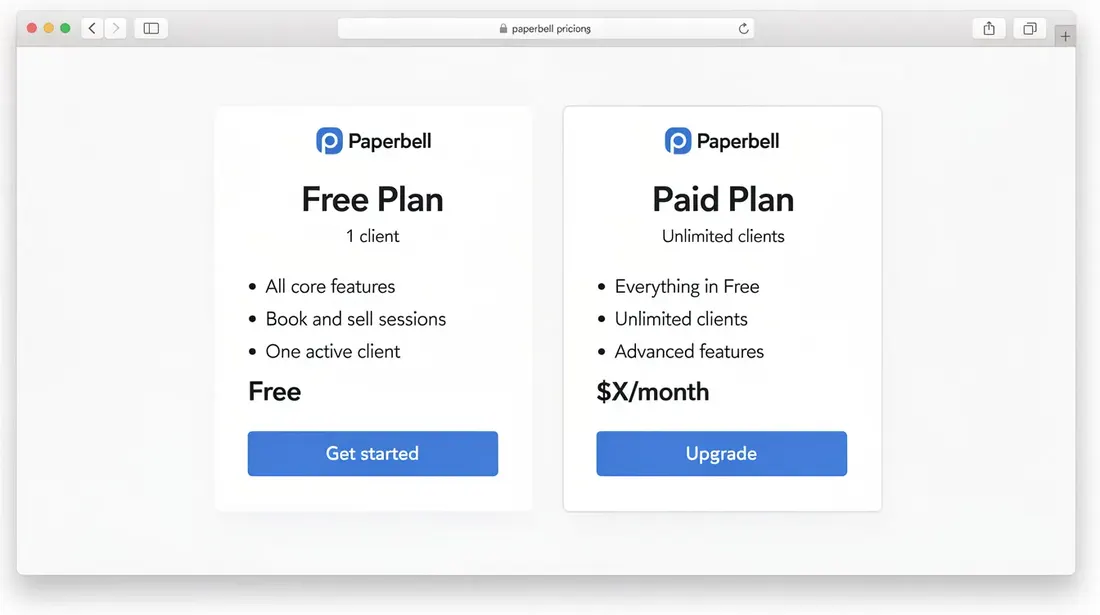
The one-plan model: what you get (and what you don't)
Instead of tiered plans that gate features behind higher price points, Paperbell keeps things simple. One price, everything included. For most coaches running a solo practice, this removes the anxiety of wondering whether you need to upgrade later.
A single-tier pricing model means there is only one paid plan with all features included, rather than multiple plans with different feature sets.
Scheduling and Calendar Integration
Integrated calendar sync with Google Calendar, Outlook, and iCal
Timezone detection and buffer times between sessions
Zoom integration for automatic meeting link inclusion in every booking
Payments and Contracts
One-time charges, subscriptions, flexible payment plans, pay-in-full discounts, deposits, and coupon codes—all via Stripe or PayPal
Built-in contract signing through Dropbox Sign, with unlimited contracts on every Paperbell account
Client Management
Unified client records including client notes, purchase history, signed contracts, and uploaded files
Client portal: a secure online area where clients can book appointments, view their packages, and access shared content without creating a formal login
Paperbell provides unlimited clients, sessions, and packages under one plan. There are no per-client fees, which matters if you plan to scale group coaching or sell packages to dozens of people.
What Paperbell does not include
No full email marketing system—no broadcasts, segmentation, or lead nurture sequences
No robust course builder with lesson modules, quizzes, or progress tracking
No in-app chat for messaging between sessions
The platform is designed for a single coach, so complex multi-coach team features are not available
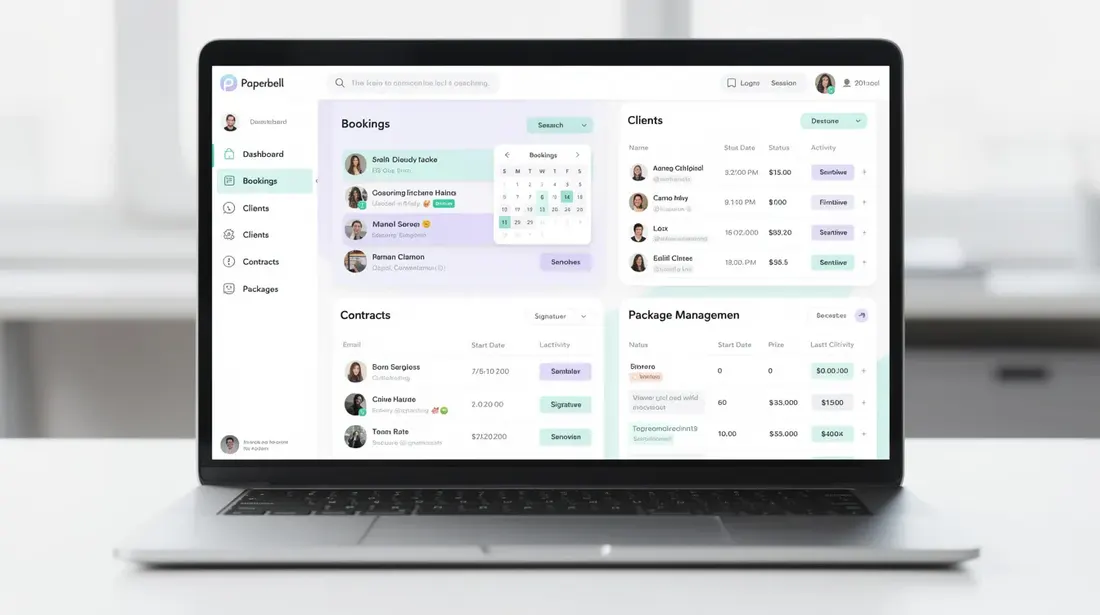
The free plan: a real trial with one client
The Paperbell free plan is not a seven-day countdown. It is a permanent free tier limited to one active client. Paperbell also offers a seven-day free trial without requiring credit card information if you want to explore the full paid experience briefly, but the free plan itself has no expiration.
Here is what "one client" means in practice:
You can serve a single live client using all features: coaching packages, scheduling, contract signing, the client portal, content delivery, custom questionnaires, and automated emails.
When you attempt to add a second client, Paperbell handles it by prompting you to upgrade to the paid plan before you can proceed.
You cannot truly test group coaching or peer learning scenarios on the free plan since those require multiple participants.
The strategic way to use it: sign up, build one flagship package, connect your payment options via Stripe or PayPal, walk one real client through the entire journey—from intake form to booking to e-signed contract to first session—and decide whether the user-friendly workflow is worth $57/month before you pay anything.
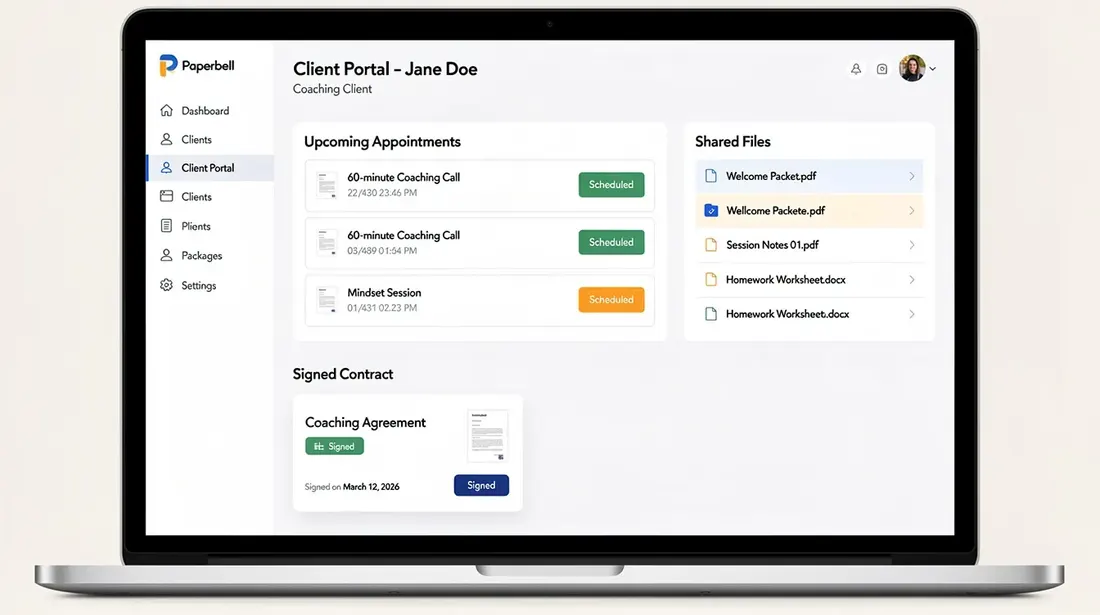
Monthly vs annual: how the discount actually works
Paperbell gives you two payment options. Monthly billing is $57/month. Annual billing is $570/year, which brings the Paperbell monthly price down to about $47.50/month. Prices checked July 2026.
Paying on an annual basis saves you roughly $114 per year—that is about 17% off, or almost two free months of service.
Most coaches can cover their entire annual payment by selling just one coaching package, which puts the Paperbell cost into perspective quickly.
Choose monthly if you are still validating your niche, testing how many appointments you actually book, or uncertain about your client volume over the next few months.
Choose annual if you already have a steady coaching business, established coaches with reliable revenue, or simply want to lock in savings. You can cancel anytime and there is a 30-day money-back guarantee.
If you know you will coach for at least 12 months, annual prepay saves you almost two months of Paperbell cost each year.
Is $57 justified? What Paperbell replaces in your tech stack
To some new coaches, $57/month feels like a stretch. To others, it feels low. The fairest way to judge is by looking at what it replaces.
Here is what a realistic equivalent stack looks like for a solo coach as of July 2026, using publicly available pricing:
Tool category | Typical monthly cost |
|---|---|
Scheduling tool (e.g., Calendly paid tier) | $10–15/month |
Contract signing tool (e.g., Dropbox Sign basic) | $10–20/month |
Basic client portal or lightweight CRM | $15–30/month |
Form builder or content delivery | $10–20/month |
Add those up and your total for separate tools often sits in the $45–95/month range. You still have to glue them together, manage separate logins, and handle data transfer manually. Users report saving over $90/month by switching to Paperbell and dropping their patchwork stack. Paperbell saves you both money and the half day you would otherwise spend every week managing scheduling payments, chasing signatures, and toggling between apps. When everything's connected inside one platform, admin friction drops significantly.
For context, comparable coaching-specific software like Delenta Premium costs around $58/month on annual billing—nearly identical to Paperbell's price point. Budget alternatives exist too: Zendo's yearly cost is $228, which is about 60% cheaper than Paperbell, though it covers a narrower feature set.
The honest other side: If you only need a simple scheduling software and occasionally send manual invoices, your current spend might be well under $50/month. In that case, Paperbell's price covers features you may never touch. The value increases the more of the platform you actually use—client scheduling, contract signing, coaching packages, content delivery, and payment plans together.
What's included for coaches on the paid plan
The flat Paperbell monthly price covers three categories of functionality:
Operations
Coaching calendar with integrated scheduling supports time zones, buffer times, and calendar sync
Automated reminders for appointments through email and SMS, plus follow-ups after sessions
Zoom link automatically added to any session
Client scheduling becomes self-service—prospects pay and book appointments through your custom branded landing pages without back-and-forth emails
Client Experience
Unified client portal stores client notes, purchase history, signed contracts, surveys, and shared files
Clients see a branded website and can access their content without jumping between tools
Client onboarding with customizable intake forms and surveys, so your intake process runs on autopilot
Payment plans within the same pricing tier, offering flexible payment options to clients
Revenue Features
Sell coaching online through packages that support one-on-one sessions, group coaching, live classes, digital downloads, or any combination
Use Paperbell for group coaching and online classes without paying extra
Ongoing feature updates, including the website builder and improved content delivery for drip-feeding worksheets and videos
Everything above is part of the single price. No module upgrades, no client caps.
What's not included: where you may need other tools
Paperbell is intentionally focused on client management and booking, not on being a full marketing or teaching platform.
Email Marketing
No broadcasts, segmentation, or nurture sequences. You still need an external email marketing tool for newsletters and funnels.
Course Builder
No lesson modules, quizzes, progress tracking, or community forums. For curriculum-heavy programs, you would typically pair Paperbell with a dedicated course platform.
In-app Messaging
No persistent chat. Most coaches continue using plain email or messaging apps for communication between sessions.
Multi-coach Teams
The platform works best when you are the primary coach. If you are running an agency-style operation with multiple practitioners, you will likely need separate accounts or specialized software.
HIPAA Compliance
Not suitable for practitioners handling regulated health data.
Who Paperbell is best for—and who should probably skip it
Paperbell pricing is perfectly tailored for solo coaches and small practices that mainly sell sessions, packages, and light group programs.
Best fit: A life or business coach who wants clients to book and pay via a single link. You rely on an intuitive coach-focused tool rather than generic business software. You regularly use contracts, prefer having all client data in one place, and love Paperbell's approach of keeping everything under one roof. You want a way to sell coaching without managing a complex tech stack.
New coaches: If you have just one or two clients, stay on the free plan for your first client. Upgrade only once your second client signs on. The cost then scales with your revenue.
Probably not ideal: Coaches who mainly sell large-scale, curriculum-based online courses with hundreds of students in a 12-module program. Teams needing multiple coach logins and advanced reporting. Budget-sensitive users who are comfortable piecing together a free scheduling tool, free invoicing software, and manual contract workflows—they can get by for less, though they will spend more time on admin.
How to test Paperbell's value using the free plan
Before committing to the paid plan, use the free plan as a structured experiment:
Sign up without a credit card. Build one flagship package—for example, a 3-month coaching program with a set number of sessions.
Link your Paperbell account to Stripe or PayPal. Add your contract. Set up custom questionnaires for intake.
Walk one real client through the full journey: they visit your new site, purchase your package, e-sign the contract, and book their first session through your coaching calendar.
Track your admin time before and after. Compare how long it used to take to send invoices, chase contract signing, schedule via email, and share files versus having Paperbell handle it inside one tool.
Ask your client for feedback on the client portal, booking flow, and appointment reminders. That qualitative input tells you whether the experience is worth the monthly price.
If you collectively earned enough from that single test client to cover the annual subscription, you have your answer.
Frequently asked questions about Paperbell pricing
These FAQs cover pricing nuances that are not always obvious from the main pricing page.
Is Paperbell free?
Paperbell has a free plan that gives you full access to features for one active client, with no time limit and no credit card required. You can build your entire backend, test your workflow, and serve one client for as long as you need. Once you need to add a second client, you must upgrade to the paid plan at $57/month or $570/year. Prices checked July 2026.
Does Paperbell take a cut of my payments?
Paperbell does not charge its own transaction fee or keep a percentage of your coaching revenue. Paperbell charges no platform transaction fees. Your clients pay via Stripe or PayPal, and you only pay the standard processor fees those providers charge—typically around 2.9% plus a small fixed fee per transaction.
Is there a Paperbell discount for annual billing?
Yes. Annual billing costs $570 per year, which works out to about $47.50 per month. That saves around $114 compared to paying $57 month to month. Exact pricing should always be confirmed on paperbell.com in case it changes after July 2026.
What happens when I try to add a second client on the free plan?
On the free plan, you can fully serve one client with all features. When you attempt to add a second active client, Paperbell prompts you to upgrade to the paid plan before you can proceed. Your existing setup, package designs, and configurations remain intact—you just need to subscribe to continue growing.
How is Paperbell different from just using a scheduling tool?
A standalone scheduling tool usually handles only booking and maybe basic payment options. Paperbell combines scheduling, payments, contract signing, a client portal, content delivery, and basic client management under one flat price. If all you need is a calendar link, a $10/month scheduler works fine. But if you want prospects to pay, sign contracts, and access their coaching content through one seamless flow, Paperbell replaces what would otherwise be three to five separate tools.